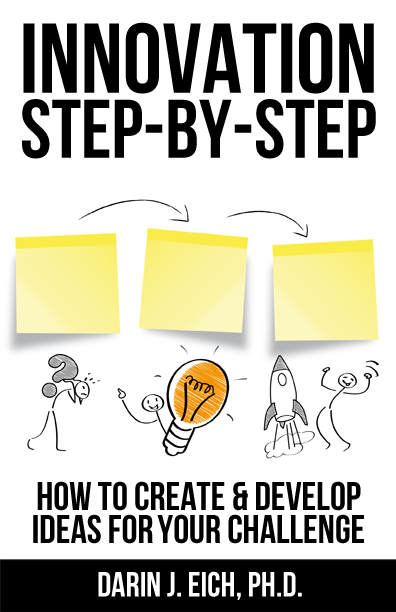
Innovation Step-by-Step
How to Create & Develop Ideas for your Challenge
How to Create & Develop Ideas for your Challenge
Learn how to innovate with our Innovation Step-by-Step Online Courses that guide you beyond the book through: The 7 Simple Steps to Create and Develop Ideas for your Challenge.
This online video tutorial workshop program will walk you step-by-step through the innovation system. See real examples at each stage. Follow along and work on your own innovation project. Develop new products, services, solutions, strategies, marketing, communication, entrepreneurial endeavors, or organizational projects. Think through and work on any challenge you have.
How to Innovate: Get the Book to Develop Innovation

Using Innovation Step-by-Step for your group?
Email [email protected] for group, class, program or training ideas…or to access a larger quantity of books and materials.
Want to be an innovative entrepreneur?
We've built an online program for you! This guided video tutorial program teaches you how to generate quality, validated ideas faster than ever. Develop innovation. This new online workshop program designed to take your results to the next level: Innovation Step-by-Step for Entrepreneurs.
In this Innovation Program You Will Receive...


Testimonials about Darin’s Program & Book
"Darin is undoubtedly one of the most energetic people I have ever had the pleasure of meeting. He brings this excitement to everything he does, including his brainstorming training and facilitation.
Going through Darin's training process was like learning to ride a bike. It took several sessions to start seeing results as I was literally re-wiring my brain to pedal at speeds it had never gone before. I fell off a few times along the way, often becoming intimidated by the fast paced environment, but was always reassured by falling back on his tried-and-true methodologies. I clearly remember one session it just 'clicked' -- instead of generating 20-30 ideas in each 3 hour brainstorm, I was coming up with almost 150 ideas. I was amazed at this new found skill that previously seemed unattainable.
My newly developed ability to generate creative solutions to problems not only is applied to day-to-day activities but it also helped me differentiate myself during interview tests from a large field of Ivy League candidates to secure a job at a top Silicon Valley tech company. I'm forever thankful for the opportunity to learn this unique skill and wish I could sit around that table with Darin more often."
James Tamplin
CEO, Firebase (acquired by Google)
"Our world is changing faster than ever before. Don't let your skills stagnate! This book is like a self-study workshop that will enable you to learn systems to solve problems creatively and figure out how to lead in any life situation. I strongly recommended it.
Darin has taken the process of creativity to the level of simplicity that can be adopted by the masses. I like the focus on showing examples and using metaphors to explain things. Plus, the space and instructions provided make it feel like more than just a book. Also, the book using itself as an example and demonstration of the techniques it teaches is pure genius!"
Anand Chhatpar
Serial entrepreneur with 8 US Patents, apps with over 20 million users, named "Top 5 Young Entrepreneurs" by BusinessWeek
Darin once spoke at a leadership conference I organized in Madison. He talked about leadership in a way I'd never heard before.
It wasn't only what he said. It was also how he said it... with naked intensity and emotion and belief.
That was when I internalized that you could be passionate in a big, bold way about leading and inspiring others. It wasn't just me and my crazy friends thinking about this. "Out there in the Real World," they desperately needed more of it. Now that I'm here, I know we still need more, too.
I bought a copy. I can think of several friends who might do well to get one as well.
Michael Williams
Founder, Mementum Marketing
“Innovation is a critical ingredient for success in today’s work environment. Being able to innovate allows you (and your company) to stay ahead of the game instead of constantly playing catch-up. In this book, Darin outlines an easy-to-follow process that will help you develop your ability to think innovatively and create tangible results.”
Dr. Jené Kapela
Principal/Founder, Jené Kapela Leadership Solutions, LLC

Email author [email protected] about your project that may need an innovation facilitator, program, or workshop.
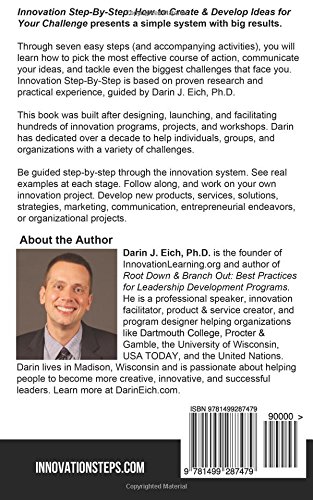
Your innovation facilitator, Darin Eich, is the author of Innovation Step-by-Step and Root Down & Branch Out: Best Practices for Leadership Development Programs. Darin earned his Ph.D. in Educational Leadership & Policy Analysis from the University of Wisconsin. Darin is the president and co-founder of InnovationLearning.org and BrainReactions, an innovation consulting company founded by UW students, where he led idea development and innovation projects for organizations like P&G, the United Nations, and the U.S. Council on Competitiveness.
Darin’s passion involves helping people to become themselves, find and live their strengths, and become more creative, innovative and successful leaders. Professionally, Darin does projects ranging from hundreds of speeches to helping institutions develop leadership programs & retreats to facilitating professional brainstorm innovation sessions for the most innovative Fortune 500 companies. Darin lives in Madison and is a consultant to Dartmouth College, the University of Wisconsin, and USA TODAY.
Do you want to facilitate your people through an innovation system, project, or activities...and learn and develop leadership skills as a result? We can bring an innovative program, workshop, or speech direct to your organization or conference. Interested in discussing program ideas? Email [email protected] today.